- English
- Español
- Português
- русский
- Français
- 日本語
- Deutsch
- tiếng Việt
- Italiano
- Nederlands
- ภาษาไทย
- Polski
- 한국어
- Svenska
- magyar
- Malay
- বাংলা ভাষার
- Dansk
- Suomi
- हिन्दी
- Pilipino
- Türkçe
- Gaeilge
- العربية
- Indonesia
- Norsk
- تمل
- český
- ελληνικά
- український
- Javanese
- فارسی
- தமிழ்
- తెలుగు
- नेपाली
- Burmese
- български
- ລາວ
- Latine
- Қазақша
- Euskal
- Azərbaycan
- Slovenský jazyk
- Македонски
- Lietuvos
- Eesti Keel
- Română
- Slovenski
- मराठी
- Srpski језик

What is the best micro switch for a mouse?
If you’ve ever felt your mouse clicks feel mushy, unresponsive, or just “off,” the problem is probably its micro switch. The mouse micro switch is the tiny component that makes your clicks register—and choosing the right one can turn a frustrating gaming or work experience into a smooth, satisfying one. But with so many options out there, how do you pick the best mouse micro switch for your needs? We’re breaking it down simply, no tech jargon required.
First, let’s get clear: not all mouse micro switches are the same. The best one for you depends on how you use your mouse—whether you’re a casual user browsing the web, a gamer chasing precision, or someone who works long hours clicking through documents. The key factors to focus on are click feel, durability, and compatibility—we’ll break each down so you can make an informed choice.
Click feel is personal, but there are two main types: tactile and linear. Tactile micro switches give a distinct “click” sensation and a small bump when pressed—perfect for gamers who want feedback to know their click registered. Linear micro switches are smooth, with no bump or click sound, ideal for users who prefer quiet, effortless clicking (great for office settings or late-night gaming without disturbing others).
Durability matters too—you don’t want to replace your mouse micro switch every few months. Look for switches rated for high click counts: 50 million clicks or more is standard for quality mouse micro switches, especially for gamers who click frequently.
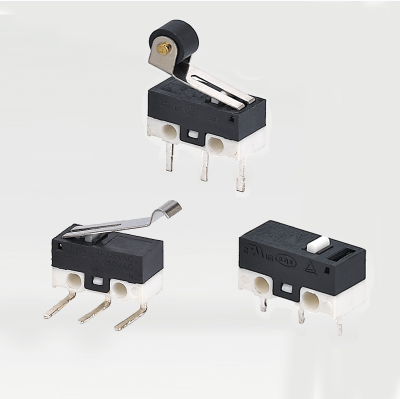
Compatibility is often overlooked but crucial. Not all micro switches fit every mouse—check your mouse’s model to ensure the switch size (usually 3-pin or 5-pin) matches. Most gaming mice are designed to be moddable, making it easy to swap out micro switches, but casual mice might be harder to modify.
In short, the best mouse micro switch is one that fits your use case: tactile for feedback, linear for quiet, durable for longevity, and compatible with your mouse. You don’t need the most expensive option—just one that aligns with how you use your mouse every day. With these tips, you’ll find a switch that makes every click feel just right.